InfoValue TV Probe (Installing Edge Probes for TVProbe SP)
TVProbeInstall
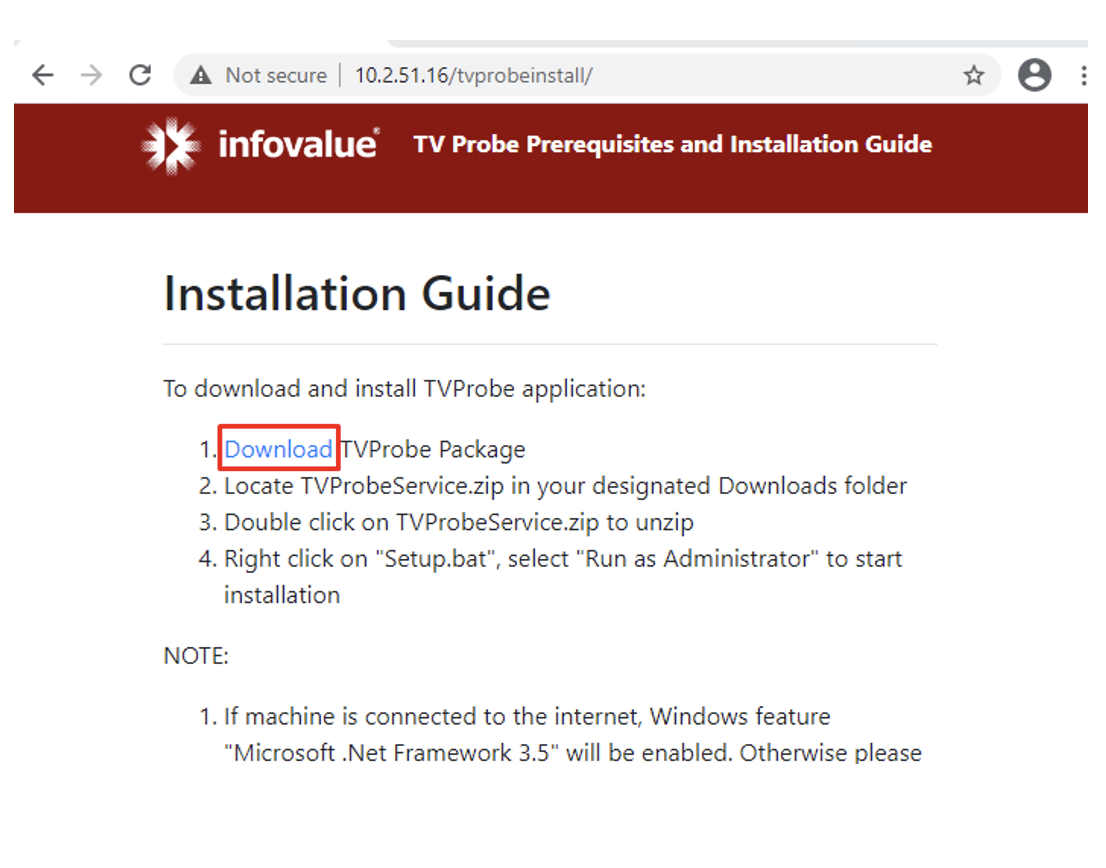
●Bring up Chrome browser. Enter http://<TVProbeSP-serverip>/TVProbeInstall.
●Follow the “Installation Guide” instructions to install.
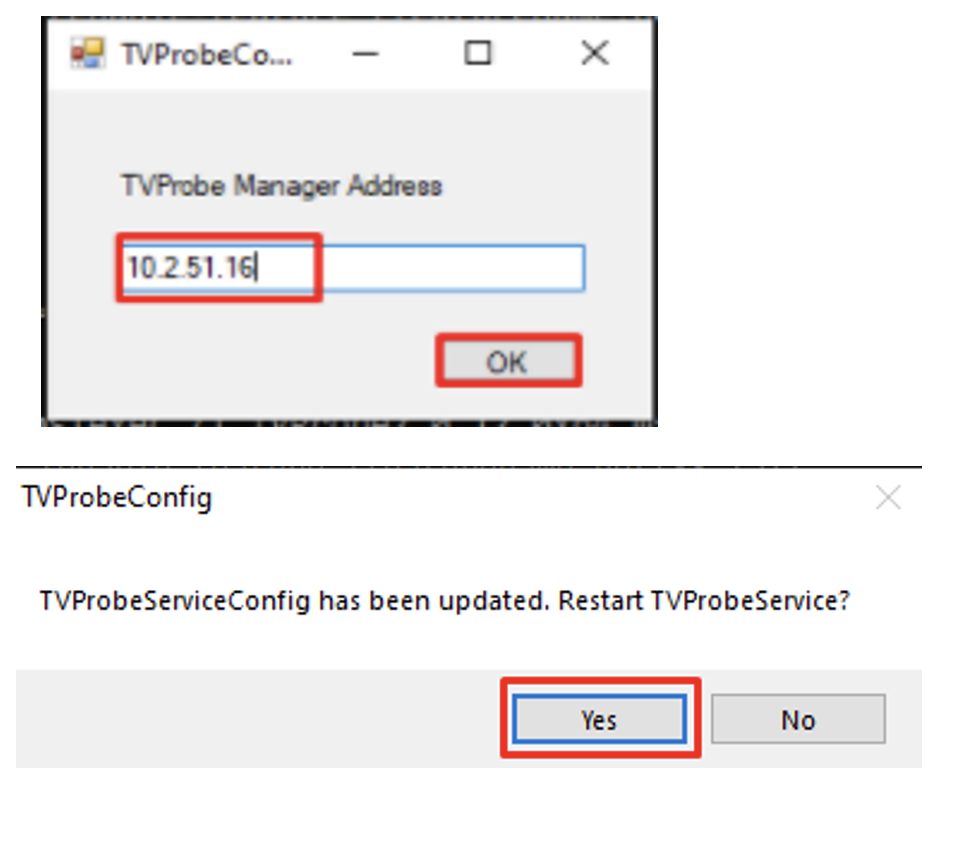
TVProbe Manager Address
●When prompted for the “TVProbe Manager Address”, enter the IP Address of the server hosting the “TVProbe SP Console”.
○This prompt can also be manually launching by clicking “C:\Program Files\InfoValue\Config\TVProbeconfig.exe”
●Click Yes to restart the “TVProbeService”.
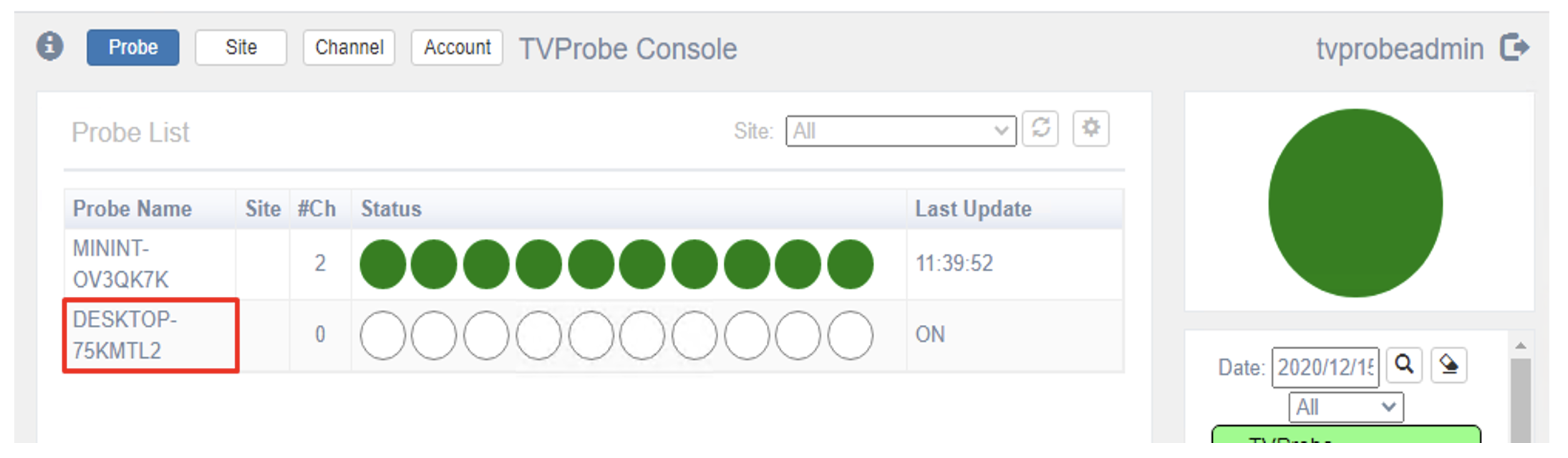
New Probe added to TVProbe SP Console
●You should now see the probe added to the “TVProbe SP Console” (http://<tvprobesp-ip>/tvprobesp)
●Highlight the new probe and select “Settings” to configure it.
●Double click on the “Status” field to add channels to the new probe.