
InfoValue TVProbe (Service Provider Console - Setting up Probes and Channels)
Login

Local Probe
TVProbe SP showing a single “Local Probe”

Set Probe Parameters
●Set the Probe parameters
○Active Channels
○Active Period
○NIC
○Probe Type: sp
○Summary interval (sec)

Adding channels to a probe
●Click on “Channel” to add channels to be probed

●Click the “+” option to add channels for probing

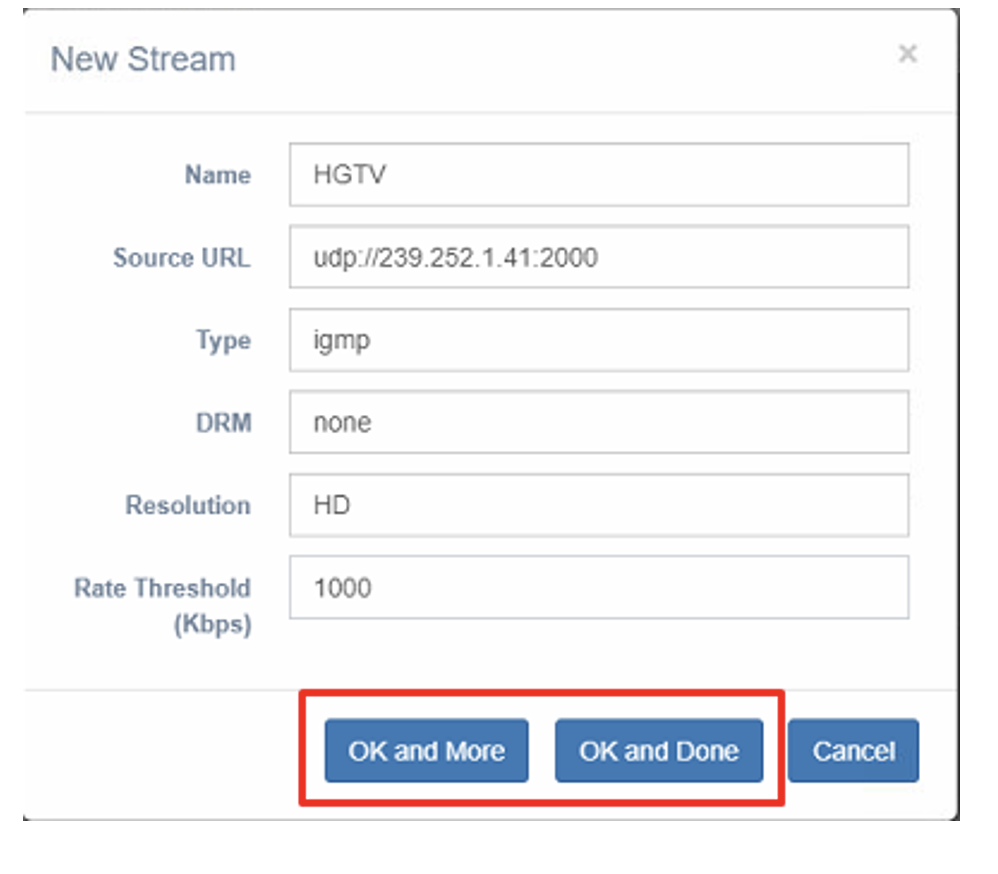
●Enter the channel information.
●Click “OK and More” to add more channels or “OK and Done”.
●List of channels added for probing.
●Go to “Probe” to assign the channels to the respective Probe hosts that are probing them.

Assigning channels to a Probe
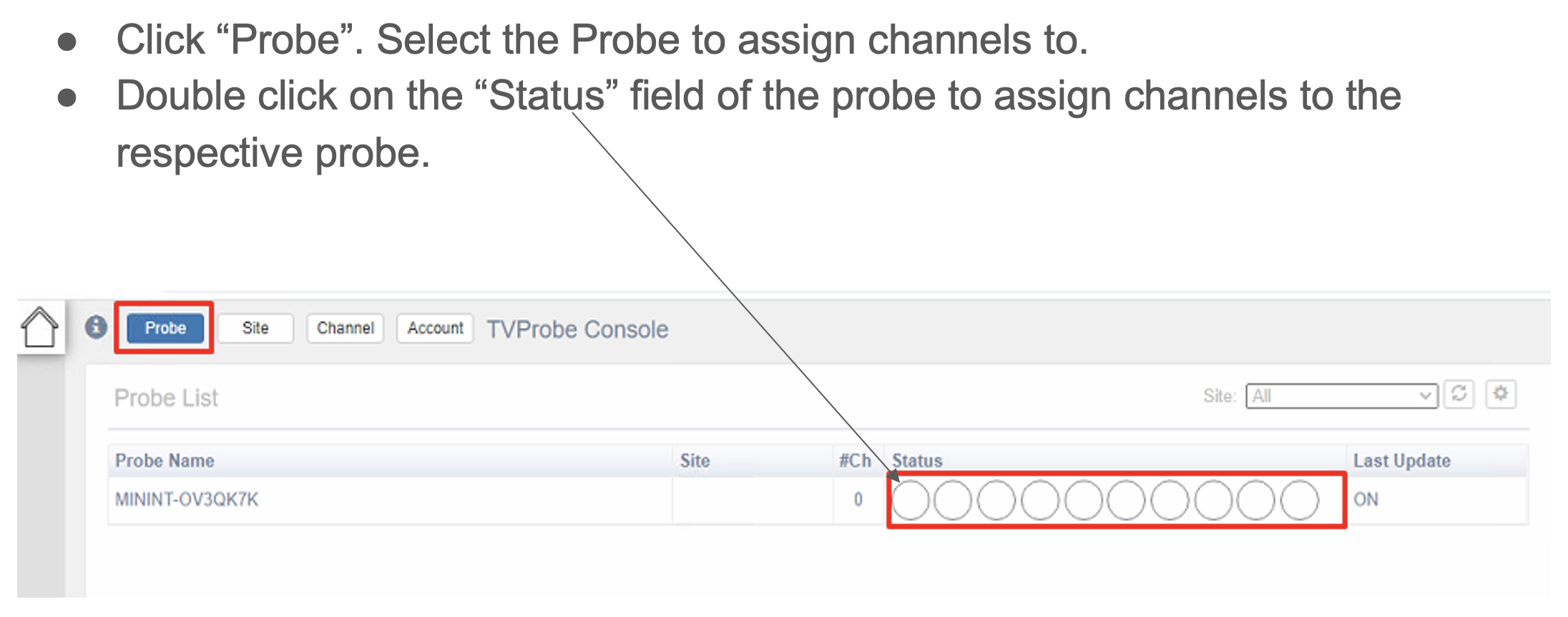
Click the “+” to assign channels to the Probe

●Checkmark to select the channels
●Use the NIC dropdown to select the network IP that will be licensing for the multicast
●Click OK when done


